



Coding agents like Claude Code are already good at generating applications that use durable workflows. But writing workflows is only part of the story. The harder problem is operating them, especially when something goes wrong. For example, if several of your workflows fail with unexpected errors, how can you best use an agent to debug, find the root cause, and implement and test a fix?
To bridge this gap, we built an MCP server for DBOS. The Model Context Protocol (MCP) provides a standardized interface that allows AI applications to connect to external tools and services. The DBOS MCP server provides your agent with a set of workflow-related tools like “list workflows”, “get workflow”, and “list workflow steps.” This lets your agent query what actually happened when you encounter an error or failure, helping it help you resolve the issue.
For example, let’s say your workflow encountered an unexpected error and you asked an agent to investigate. The agent would first call the “list workflows” tool, filtering for workflows that errored, to find the ID of the failed workflow. Then, it would use the “get workflow” tool to find the workflow’s exact error, then use the “list workflow steps” tool to examine the workflow’s steps and their statuses to find if the workflow error was caused by a failure in any particular step. With that context, the agent can search your codebase to trace the underlying bug and even implement a fix.
Here’s a demo of what this looks like in practice:
Getting Started with the DBOS MCP Server
To try out the MCP server with Claude Code, just run:
claude mcp add dbos-conductor -- uvx dbos-mcpThen start Claude Code and ask it questions about your DBOS apps! For more information, check out the docs.
How the DBOS MCP Server Works
The entire DBOS MCP server is open-source on GitHub here. The way it works is actually fairly simple. Each tool call the server provides to your agents is registered as a function using the MCP SDK, with instructions for your agent to use the tool defined in the docstring. For example:
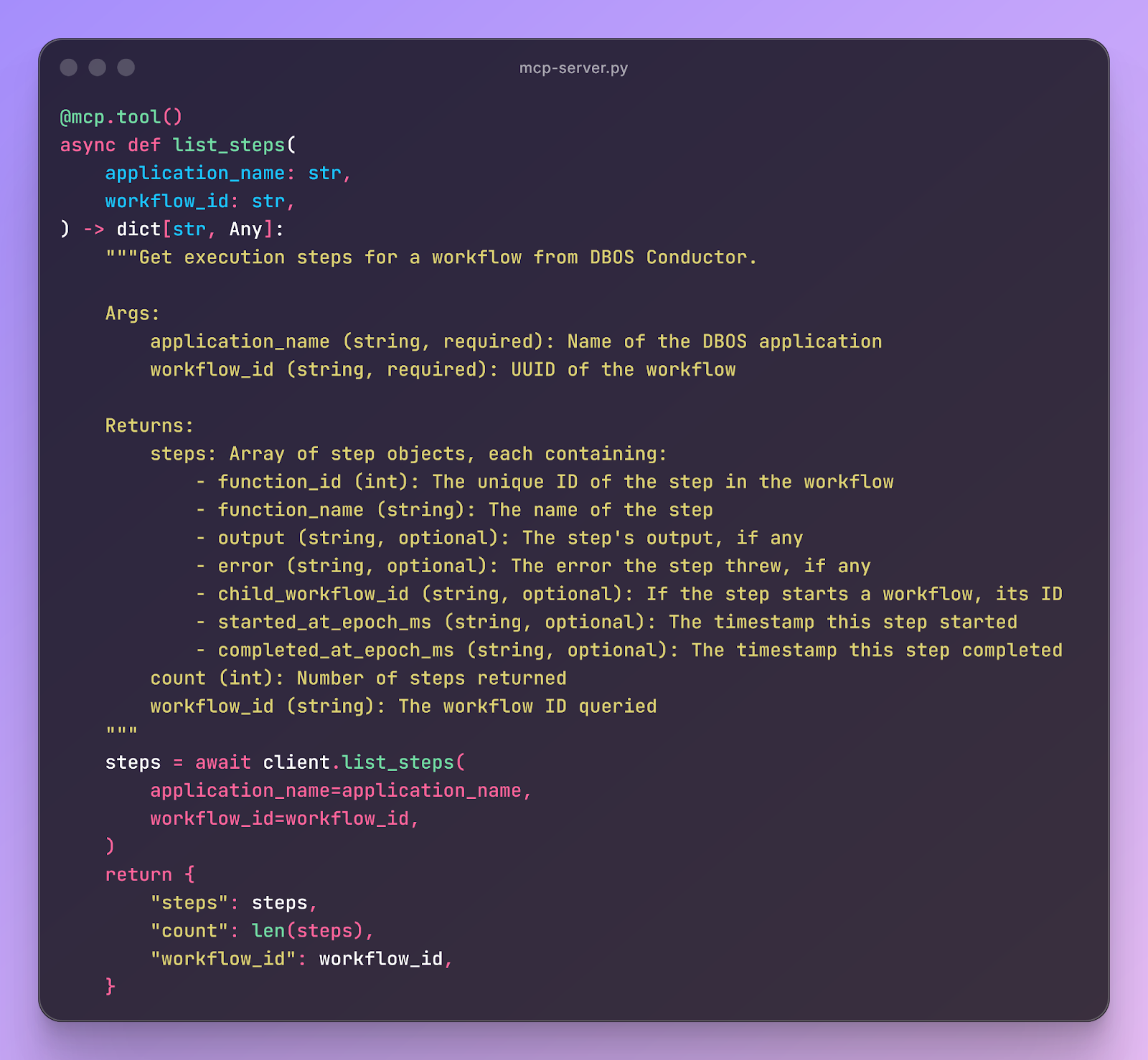
Under the hood, each tool calls the Conductor API, which lets your agent retrieve information on your application no matter where it’s running, as long as it’s connected to Conductor. For example:
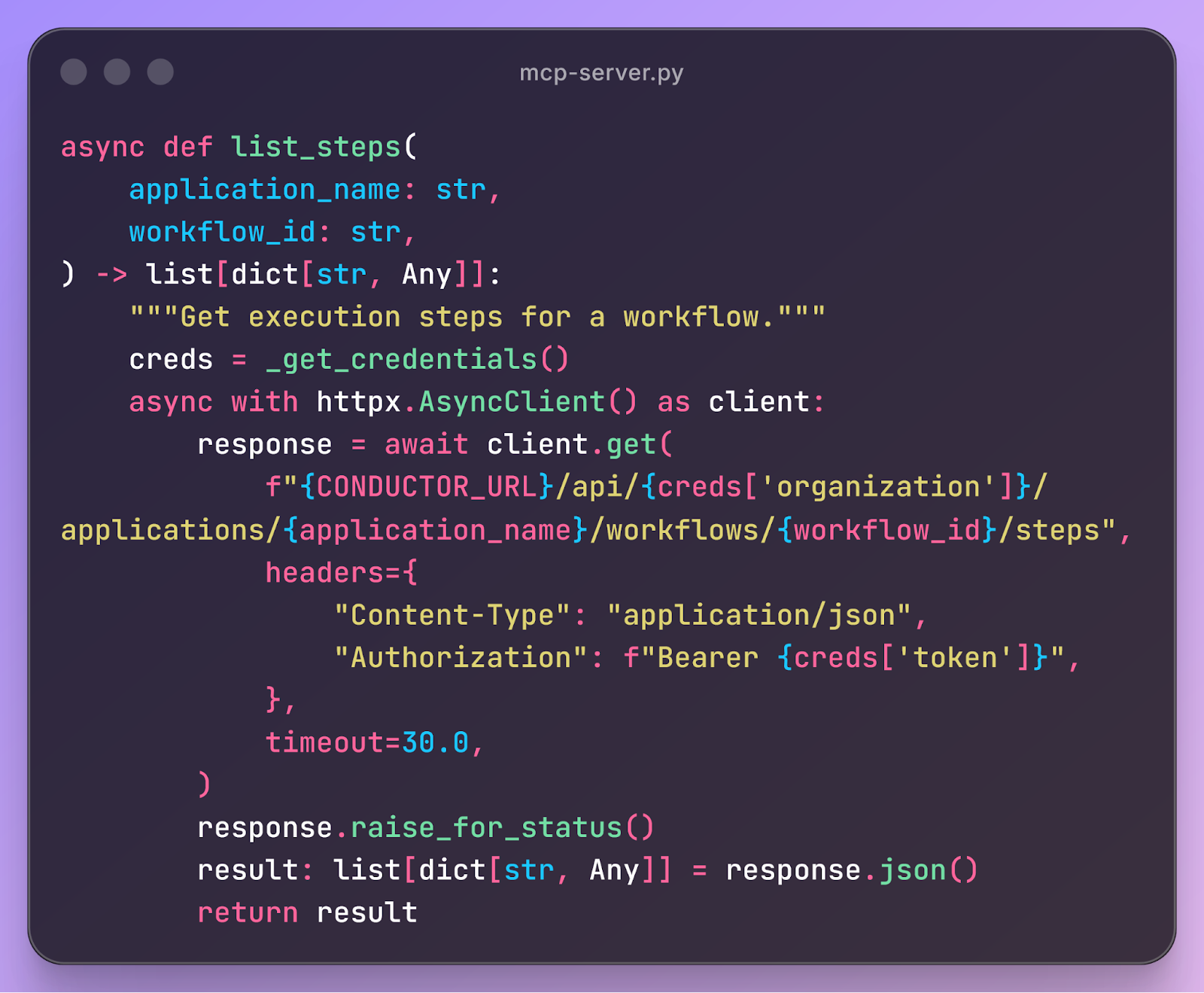
The trickiest part of the MCP implementation is authenticating with Conductor. To make this work, the server implements an OAuth device authorization grant flow split across two tool calls.
When you try to use the server, if you’re not authenticated, your agent is instructed to call a “login” tool that gives you a URL at which you can log in using a special device code. You open the URL, confirm the device code, and authenticate with OAuth. Once you've completed the login, your agent will then call a “login complete” tool that polls an OAuth endpoint using your device code to retrieve a bearer token with which it can authenticate. Once the bearer token is generated, the MCP server saves it to disk so you don’t have to reauthenticate until the token expires.
Learn More
If you like making systems reliable, we’d love to hear from you. At DBOS, our goal is to make durable workflows as lightweight and easy to work with as possible. Check it out:
- Quickstart: https://docs.dbos.dev/quickstart
- GitHub: https://github.com/dbos-inc
- Discord community: https://discord.gg/eMUHrvbu67