





Workflows and cron schedules naturally go together. If you’re building important processes with workflows, chances are some of them need to run periodically: syncing data, generating reports, refreshing embeddings, cleaning up state, and more.
That’s why DBOS has always supported workflow scheduling. In the original implementation, you could schedule a workflow by annotating it with the @DBOS.scheduled decorator and specifying a schedule in cron syntax:
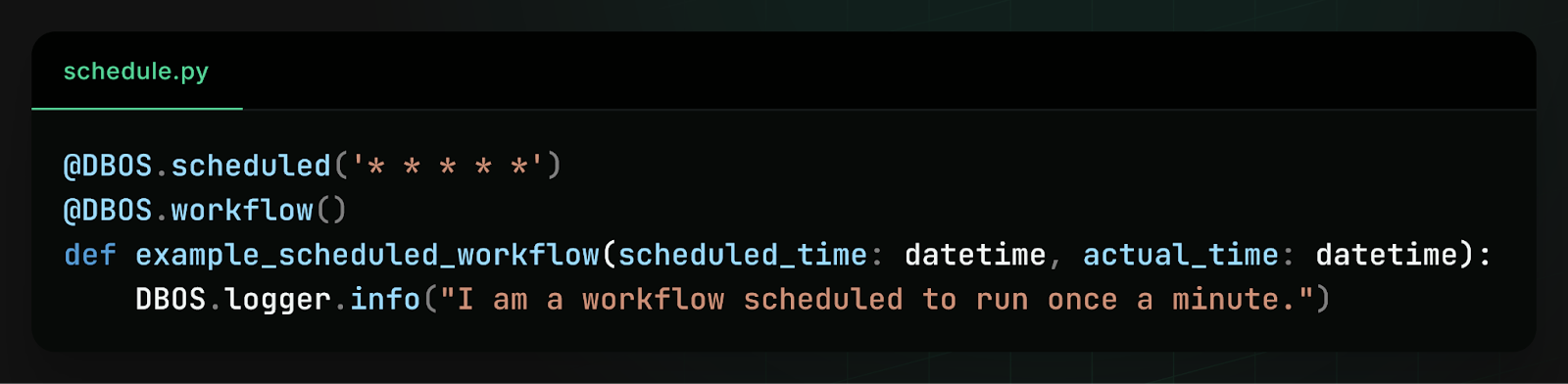
While this worked well for simple cases, we heard consistent feedback from users that the interface was too limiting. Because schedules were defined only in code, there was no way to dynamically change schedules at runtime without redeploying your code. Moreover, there was no way to do schedule management–you couldn’t query or list your active schedules, you couldn’t pause a schedule, and you couldn’t backfill missed actions.
In short, schedules behaved more like static configuration than operational infrastructure. So we rebuilt the system and released dynamic workflow scheduling.
How to Dynamically Schedule Workflows
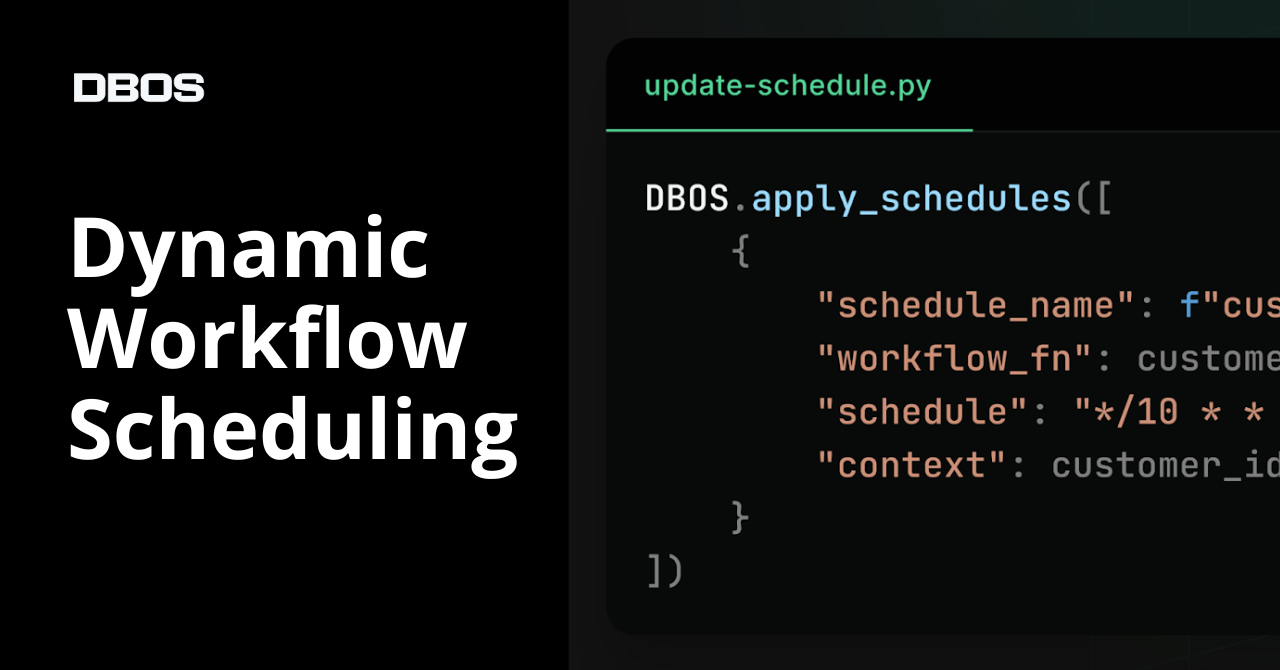
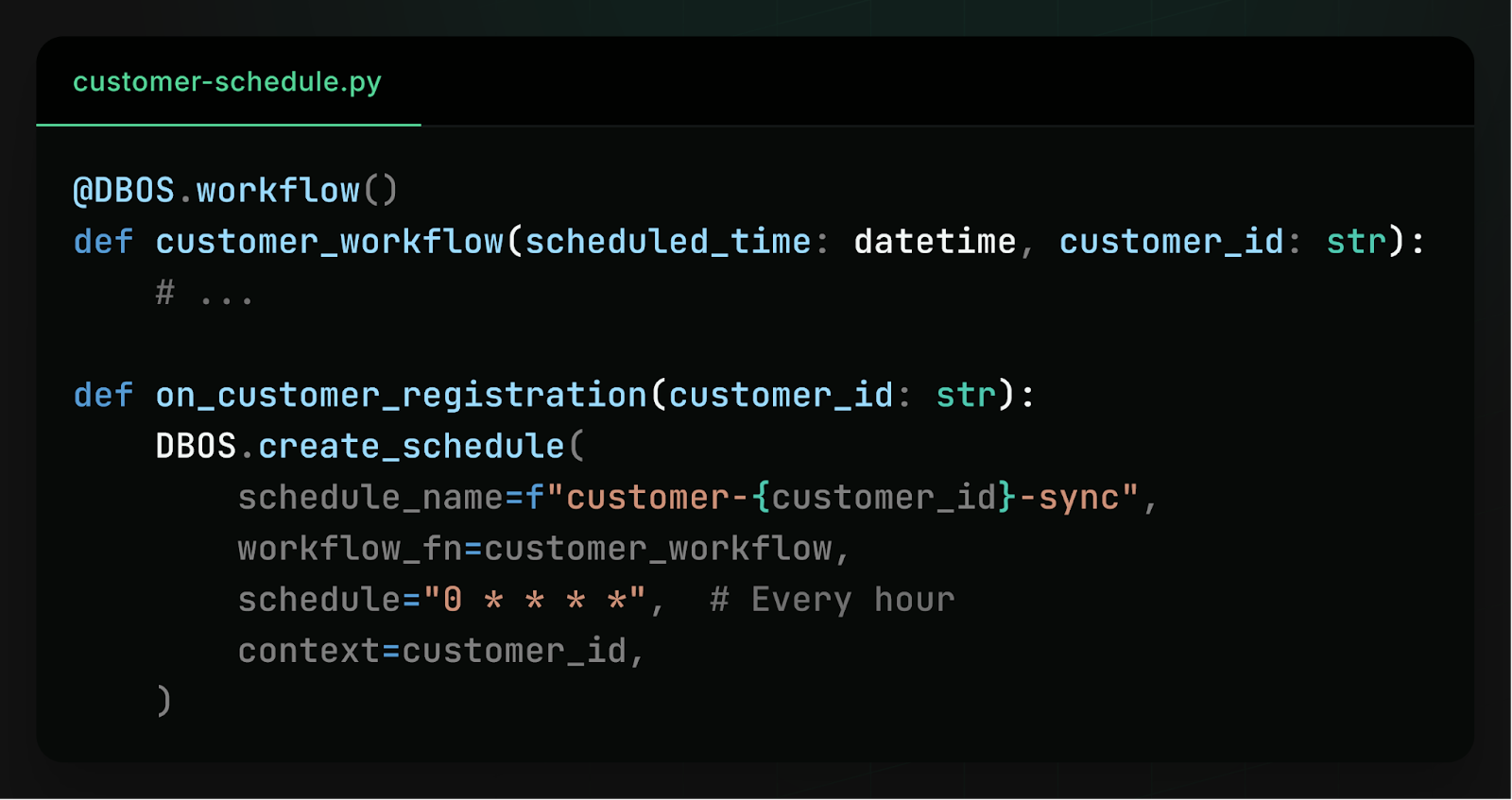
With the new release of DBOS Transact, workflow schedules are now stored in your database instead of your code. This means that you can dynamically create and modify workflow schedules at runtime. For example, if you want to perform a periodic data sync for each of your customers, you can schedule a workflow as part of customer registration:
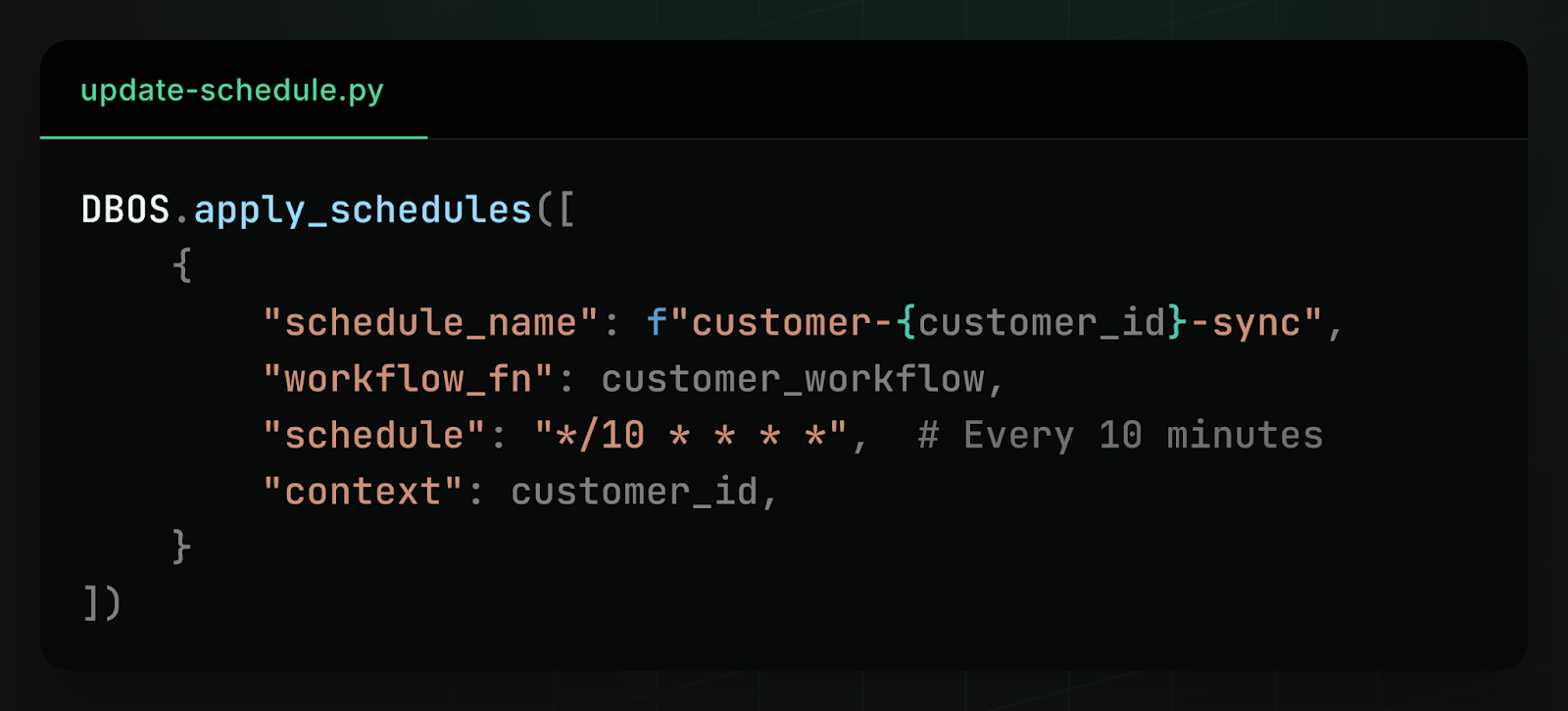
Then, if a customer’s needs change and you need to run the data sync more or less often, you can dynamically update their cron schedule:
You can also view your workflow schedules from your dashboard and pause, resume, or trigger them:

You can even automatically backfill missed workflow actions, if your application was offline for some period of time:

To learn more about how to build with dynamic workflow schedules, check out the docs in Python or TypeScript.
How Dynamic Workflow Scheduling Works
Under the hood, dynamic workflow scheduling is powered by a new workflow_schedules table in Postgres. Whenever you create, update, or delete a workflow schedule, DBOS simply modifies a row in this table. Because schedules are stored in the database, they’re queryable and dynamically modifiable, both by your applications directly and by clients like the DBOS Conductor dashboard.
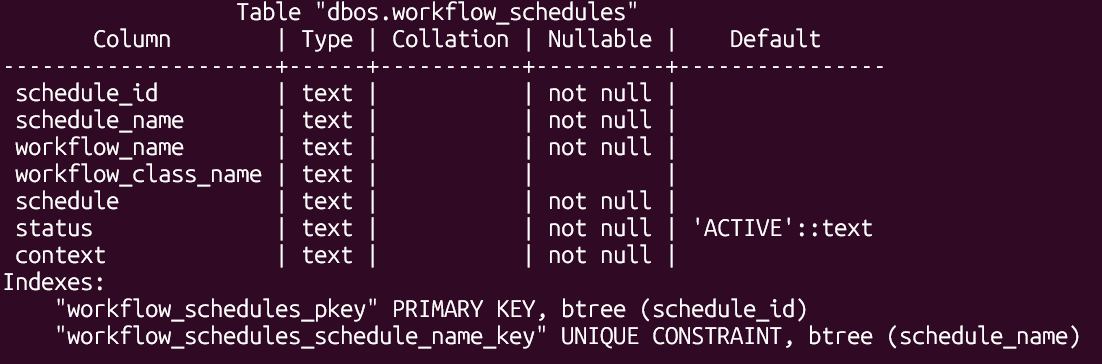
In each process in your DBOS application, a thread periodically polls this table to find new schedules or updates to existing ones. For every schedule it discovers, the scheduler computes and waits for that schedule’s next “tick”, then enqueues the workflow for that tick. The workflow is enqueued with a unique ID derived from the schedule name and scheduled time. This ID acts as an idempotency key, so that even if multiple processes simultaneously enqueue the same scheduled workflow, it is only dequeued and executed once.
This design allows scheduling to remain distributed, fault-tolerant, and safe across many processes.
Avoiding the Thundering Herd Problem
At scale, scheduling introduces an interesting challenge: the thundering herd problem.
Imagine a large DBOS deployment with many processes. If every process in your DBOS application tried to enqueue the same scheduled workflow at once, even safely using an idempotency key, this could create spikes of high database contention because they are all simultaneously writing to the same row of the same database table.
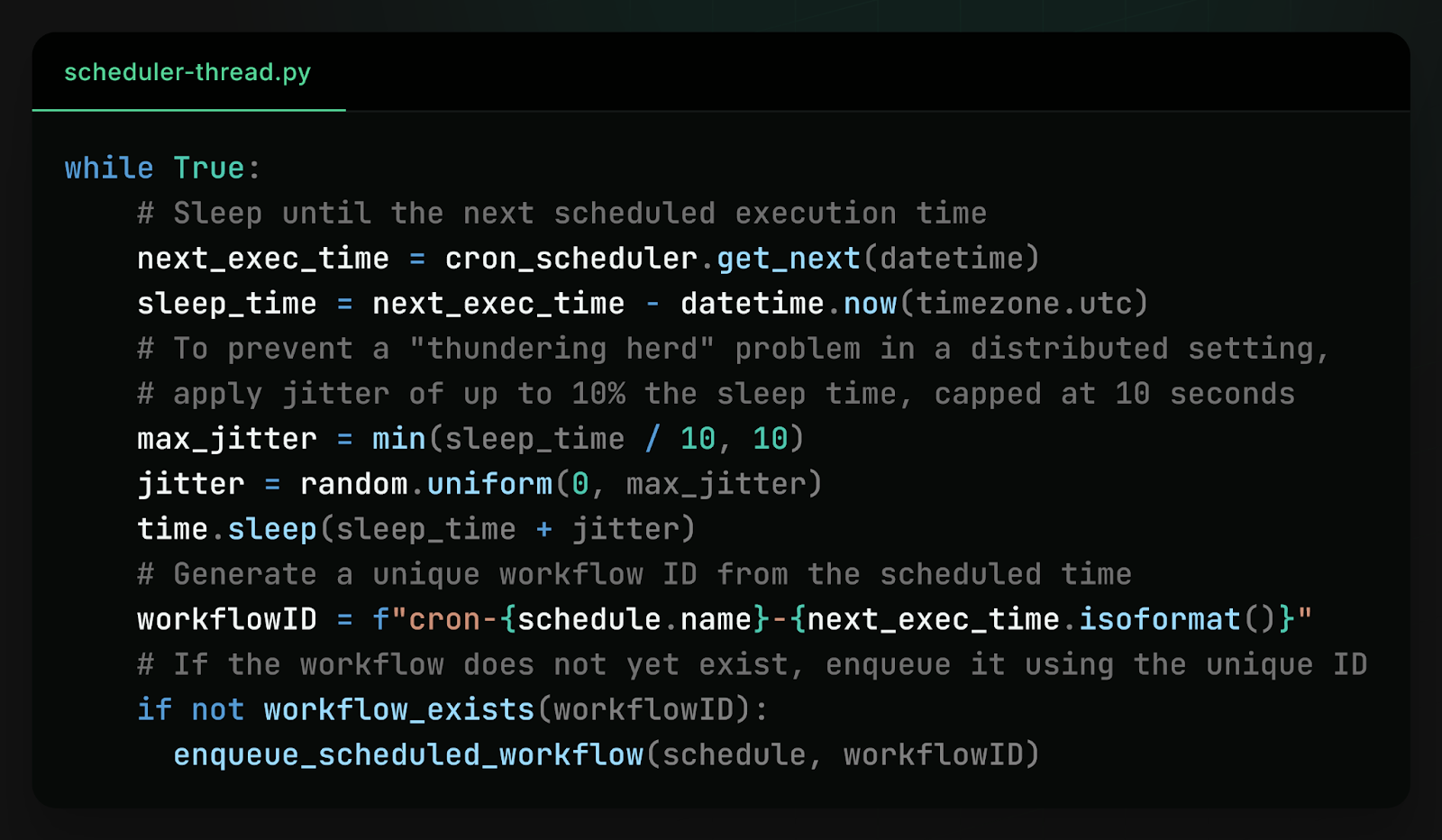
To solve this problem and reduce contention, the scheduler threads introduce a small but effective optimization: jitter. Instead of every process waking up at exactly the scheduled time, each scheduler adds a small amount of randomness to its wake-up time, so different processes wake up at slightly different times.
Processes also check if a workflow has already been scheduled before scheduling it–not for correctness (as scheduling is idempotent) but to replace expensive database writes with much cheaper database reads. This way, any spike in database activity is spread out over several seconds and converted from entirely writes to mostly reads, drastically reducing contention.
Learn More
If you like making systems reliable, we’d love to hear from you. At DBOS, our goal is to make durable workflows as lightweight and easy to work with as possible. Check it out:
- Quickstart: https://docs.dbos.dev/quickstart
- GitHub: https://github.com/dbos-inc
- Discord community: https://discord.gg/eMUHrvbu67